
Disable optimization with -N in addition to inlining -l

Up to go1.16, only disabling inlining gave fairly good results. With
go1.17 also disable optimization to improve the unit tests output.

Improve the comments to clarify the purpose of each flag.

Helps with issue #61.
Parses panic stack traces, densifies and deduplicates goroutines with similar stack traces. Helps debugging crashes and deadlocks in heavily parallelized process.

panicparse helps make sense of Go crash dumps:
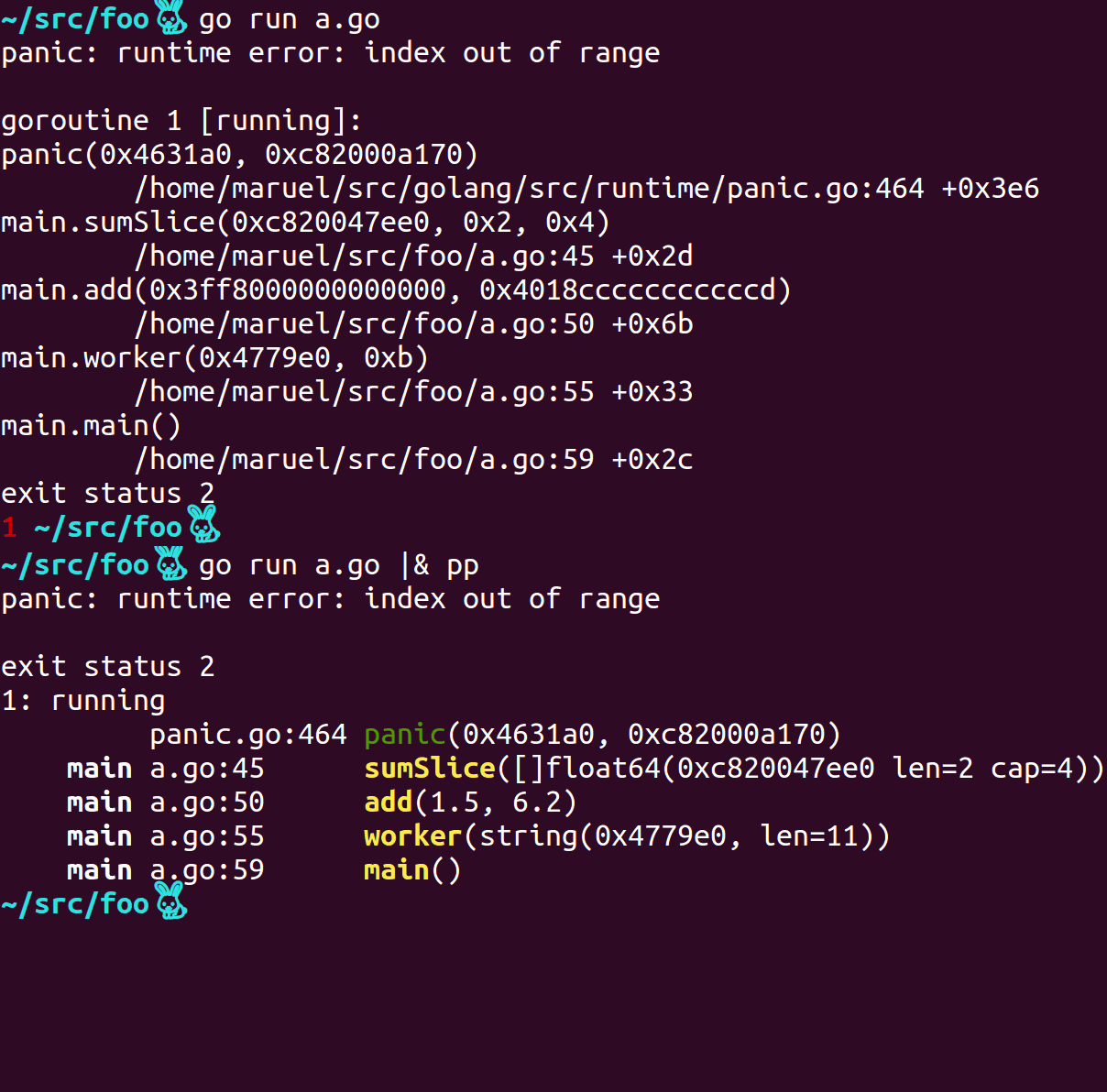
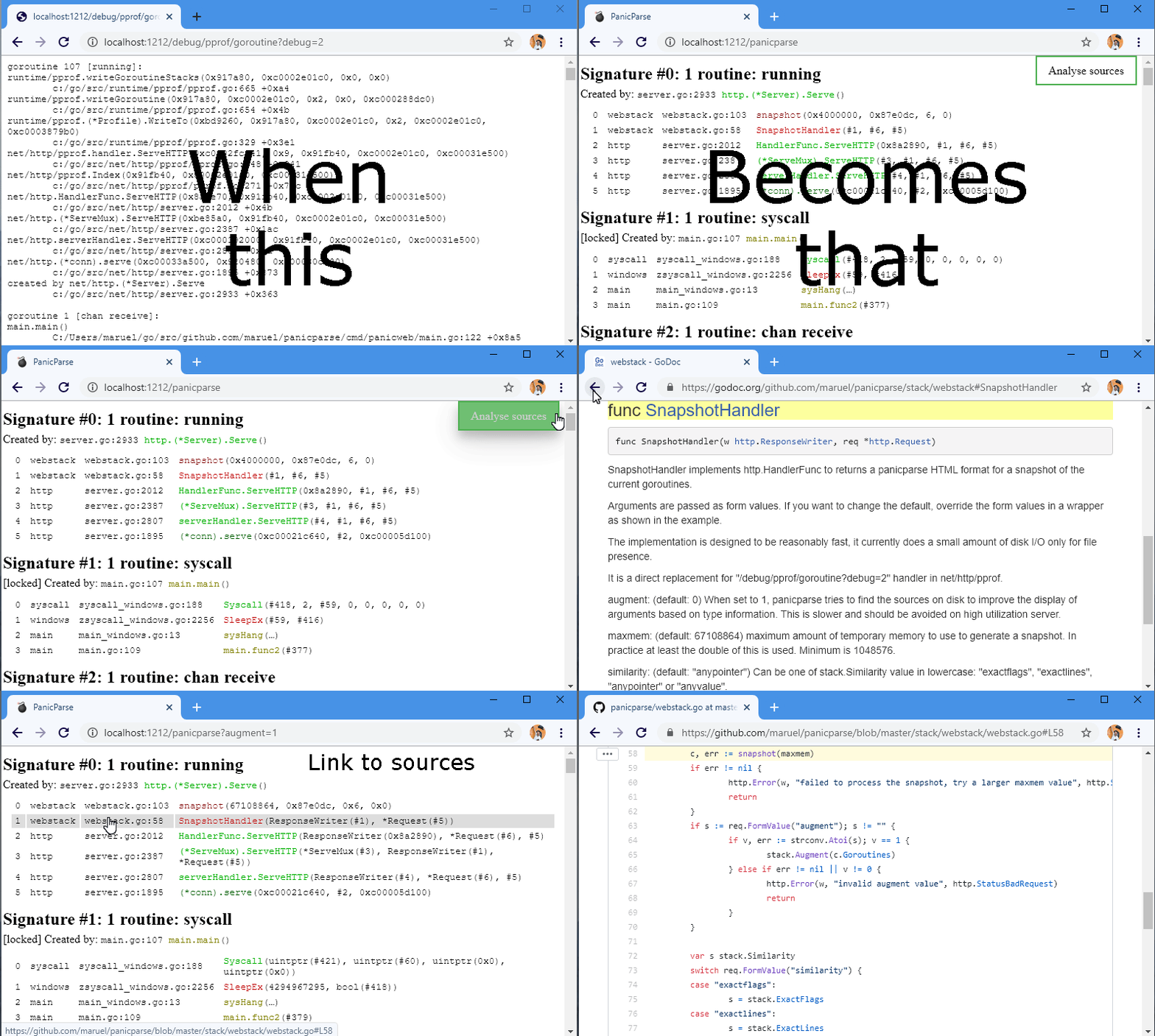
See v2.0.1 blog post.
panicparse was created with ❤️️ and passion by Marc-Antoine Ruel and friends.
go get github.com/maruel/panicparse/v2/cmd/pp
|&|&2>&1 |^|pp streams its stdin to stdout as long as it doesn‘t detect any panic. panic() and Go’s native deadlock detector print to stderr via the native print() function.
Bash v4 or zsh: |& tells the shell to redirect stderr to stdout, it's an alias for 2>&1 | (bash v4, zsh):
go test -v |&pp
Windows or macOS native bash (which is 3.2.57): They don't have this shortcut, so use the long form:
go test -v 2>&1 | pp
Fish: &| redirects stderr and stdout. It's an alias for 2>&1 | (fish piping):
go test -v &| pp
PowerShell: It has broken 2>&1 redirection. The workaround is to shell out to cmd.exe. :(
On POSIX, use Ctrl-\ to send SIGQUIT to your process, pp will ignore the signal and will parse the stack trace.
To dump to a file then parse, pass the file path of a stack trace
go test 2> stack.txt
pp stack.txt
Starting with go1.11, the toolchain starts to inline more often. This causes traces to be less informative. Starting with go1.17, optimization also interfere with traces. You can use the following to help diagnosing issues:
go install -gcflags '-N -l' path/to/foo
foo |& pp
or
go test -gcflags '-N -l' ./... |& pp
Run go tool compile -help to get the full list of valid values for -gcflags.
Starting with Go 1.6, GOTRACEBACK defaults to single instead of all / 1 that was used in 1.5 and before. To get all goroutines trace and not just the crashing one, set the environment variable:
export GOTRACEBACK=all
or set GOTRACEBACK=all on Windows. Probably worth to put it in your .bashrc.
Install bash v4+ on macOS via homebrew or macports. Your future self will appreciate having done that.
/usr/bin/pp installedIf you try pp for the first time and you get:
Creating tables and indexes...
Done.
and/or
/usr/bin/pp5.18: No input files specified
you may be running the Perl PAR Packager instead of panicparse.
You have two choices, either you put $GOPATH/bin at the beginning of $PATH or use long name panicparse with:
go get github.com/maruel/panicparse/v2
then using panicparse instead of pp:
go test 2> panicparse